
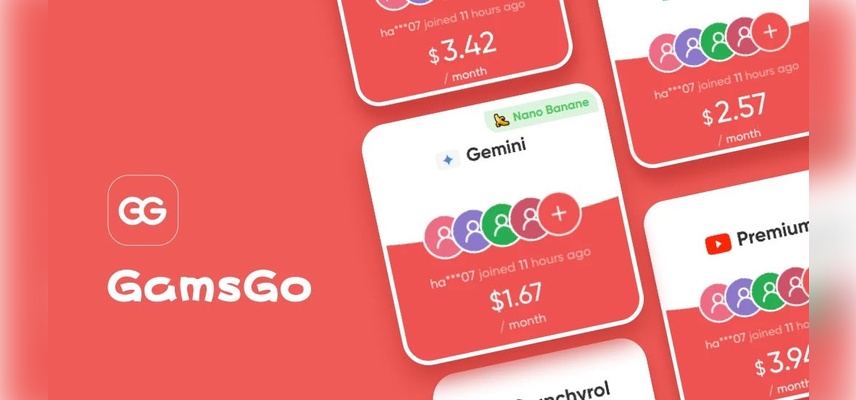
GamsGo: Unlock 100+ Premium AI, Streaming & Gaming Subscriptions at Up to 85% Off
If you’ve spent any time comparing prices for ChatGPT Plus, Perplexity Pro, Gemini, CapCut, or Filmora, you’ve probably run into ads for GamsGo. It promises steep discounts on the AI and productivity tools creators already pay for sometimes 85% off or more.
This guide breaks it down from a creator’s perspective, so you can decide whether it fits into your setup.
What Is GamsGo?
GamsGo is a subscription-sharing marketplace that lets users access premium accounts streaming, music, productivity tools, AI chatbots, and gaming services at a fraction of the official retail price. Instead of paying full price alone, GamsGo groups multiple unrelated users into a single family or multi-user plan and splits the cost between them.
For gamers specifically, GamsGo’s catalog goes beyond streaming and includes:
Console subscriptions: like PlayStation Plus and Xbox Game Pass
In-game currency top-ups: for popular titles (UC, diamonds, Robux, and similar in-game currencies)
Communication tools: gamers rely on, such as Discord Nitro
AI tools: some gamers use for content creation, guides, or Discord bots (ChatGPT Plus, Midjourney, and similar)
How GamsGo Works
The mechanics are the same across every category on the platform:
Browse the catalog: and pick the service you want (for example, Xbox Game Pass Ultimate).
Choose a subscription length: typically 1, 3, or 6 months.
Check out securely: with a supported payment method.
Receive access details: to your dashboard, usually within minutes.
Renew manually: when the term ends there’s no automatic recurring charge.
This “carpooling” model is what allows GamsGo to undercut official prices: a family or group plan meant for one household gets divided among several paying users instead.
What GamsGo Offers Gamers
Discounted Console Subscriptions
Console subscription slots are typically sold at a percentage of the official monthly cost, since the underlying plan is a shared or group subscription rather than an individually issued license. Savings reported by users and reviewers generally fall in the 40-80% range depending on the service and subscription length, though actual pricing varies by region, availability, and current promotions.
In-Game Currency Top-Ups
Beyond subscriptions, GamsGo also lists top-up options for popular game currencies, letting players reload in-game balances at a lower cost than official storefronts. This is a separate transaction type from the shared-subscription model where you’re buying currency directly rather than joining a group plan.
Streaming & Entertainment for Downtime
A lot of gamers keep a streaming service running in the background between matches or during loading screens, so GamsGo’s entertainment catalog is worth a look alongside its gaming listings:
Netflix: Official pricing runs from roughly $8.99/month (ad-supported) up to around $26.99/month for the Premium 4K tier. Shared listings undercut this by a wide margin, though Netflix has aggressively enforced household restrictions in recent years, making this one of the higher-risk categories.
Disney+: The official ad-free plan sits around $18.99/month, with an ad-supported tier closer to $9.99/month. Popular with gamers who follow Marvel, Star Wars, or Pixar-adjacent titles.
HBO Max: Official tiers range from about $10.99/month (ads) to $22.99/month (ad-free Premium with 4K). Shared slots are typically listed well under the ad-free price point.
Spotify: Individual Premium runs about $12.99/month officially. Frequently bundled with Discord Nitro listings for gamers who stream music during play sessions.
Tidal: A hi-res audio alternative to Spotify, officially priced around $12.99/month for its HiFi tier. Appeals to gamers and streamers who care about audio quality for content creation.
Duolingo: Duolingo Super (the ad-free, unlimited-hearts tier) is officially priced around $12.99/month or roughly $84/year, and shows up in GamsGo’s catalog as a low-cost add-on for gamers picking up a new language.
AI Tools & Productivity Apps for Gamers
Beyond entertainment, a growing share of GamsGo’s catalog caters to gamers and streamers who use AI tools for content creation, guides, thumbnails, video editing, or day-to-day productivity:
ChatGPT Plus: Officially $20/month direct from OpenAI. Popular for drafting stream scripts, Discord bot prompts, build guides, and lore/world-building content.
Perplexity Pro: Officially around $20/month ($200/year). Used by content creators for quick, cited research when writing guides or patch-note recaps.
Gemini (Google AI Pro): Officially about $19.99/month, bundling Google’s Gemini model with expanded storage and Workspace integration. An alternative to ChatGPT for gamers already in the Google ecosystem.
CapCut: CapCut Pro (removes watermarks, unlocks premium effects and cloud storage) is officially priced around $9.99/month or roughly $95.88/year, and is heavily used by clip-focused gamers and short-form content creators.
Filmora: Wondershare’s video editor is officially priced around $19.99–49.99/month depending on plan, or roughly $49.99–79.99/year, and is a common pick for gamers editing longer-form YouTube content.
Office 365 (Microsoft 365): Officially around $9.99/month or $69.99/year for the Personal plan. Included for gamers who also need Word, Excel, or OneDrive for esports team management, tournament brackets, or content planning.
Movistar+: A Spanish TV and streaming bundle whose pricing varies significantly by region and package (typically in the €8–40/month range). Listed for Spanish-speaking gamers who want live sports and entertainment channels alongside gaming subscriptions.
N-VPN: VPN pricing varies by provider, but shared or discounted VPN listings are commonly used by gamers for reducing latency to specific regions, accessing region-locked game releases, or general privacy while gaming online.
Bundled Extras for Gamers
Some listings pair gaming access with tools gamers commonly use alongside their sessions, like Discord Nitro for better voice quality and custom emojis, or AI writing/image tools for content creators and streamers building out guides, thumbnails, or scripts.
GamsGo Pricing at a Glance
| Category | Typical Discount Range | Subscription Terms | Delivery Speed |
| Console subscriptions (PS Plus, Game Pass) | 40–85% off official price | 1, 3, or 6 months | Minutes to a few hours |
| In-game top-ups | Varies by title/store | One-time purchase | Minutes |
| Streaming (Netflix, Disney+, HBO Max) | 30–85% off | 1, 3, or 6 months | Minutes to a few hours |
| Music (Spotify, Tidal) | 40–85% off | 1, 3, or 6 months | Minutes |
| AI tools (ChatGPT Plus, Perplexity, Gemini) | 40–85% off | 1, 3, or 6 months | Minutes to a few hours |
| Discord Nitro / Duolingo / CapCut / Filmora / Office 365 | 40–85% off | 1, 3, or 6 months | Minutes |
Exact prices shift with promotions and availability, so it’s worth checking the current listing rather than relying on a fixed number.
Is GamsGo Safe for Gamers?
This is the question that matters most before you commit. A few points worth knowing:
It operates outside official terms of service: Console makers and publishers issue subscriptions for individual or household use, not for resale through third-party group plans. GamsGo’s own reviewers note that shared access can be suspended if a provider tightens its sharing policy.
Activation isn’t always instant: While streaming and music categories tend to deliver near-instantly, some gaming-related listings can involve a short wait reviewers have reported 24-48 hour activation windows in certain cases.
Renewal is manual, not automatic: You won’t be charged unexpectedly when a term ends, which is a point in its favor for budget control.
Replacement policies exist but aren’t instant: If a shared account gets flagged or loses access, GamsGo generally commits to reissuing access, though this can take anywhere from a few hours to a few days.
If a deep discount and the willingness to accept some account-sharing risk both sound acceptable to you, GamsGo may be worth testing with a short subscription term first. If your Game Pass or cheap PS Plus access needs to be rock-solid for online multiplayer, ranked play, or cloud saves you can’t afford to lose, an official subscription remains the safer bet.
Pros and Cons for Gamers
Pros:
Significant savings compared to official subscription pricing
Manual renewal means no surprise charges
Access to game top-ups and extras alongside subscriptions
Fast delivery in most categories
Cons:
Not sanctioned by the original service providers
Possible short delays for gaming-specific listings
Shared accounts carry a risk of suspension or reassignment
No direct support from the original platform (Sony, Microsoft, etc.) if something goes wrong
Should You Try GamsGo for Your Gaming Subscriptions?
For gamers on a tight budget who mainly want cheaper access to Game Pass, PS Plus, or in-game currency and are comfortable with the trade-offs of a shared-account model, GamsGo can meaningfully cut monthly costs. For competitive players who need guaranteed uptime, or anyone uneasy about using accounts outside official terms of service, sticking with a first-party subscription sharing is the more predictable route.
Final Thoughts
GamsGo taps into a real pain point for gamers juggling multiple subscriptions and top-ups: the costs add up fast. Whether it’s the right call for you comes down to how much risk you’re willing to accept in exchange for the discount, and how critical uninterrupted access is to your gaming setup.
Frequently Asked Questions
1. What is GamsGo, and how does it apply to gaming subscriptions?
GamsGo is a subscription-sharing platform that offers discounted access to shared plans, including console subscriptions like PlayStation Plus and Xbox Game Pass, alongside in-game top-ups.
2. Is GamsGo legal to use for Game Pass or PS Plus?
GamsGo operates outside the official terms of service of these platforms, since group and family plans aren’t intended for resale to unrelated users. The service isn’t illegal to use, but access can be interrupted if the provider enforces its sharing policy.
3. How much can I save on gaming subscriptions through GamsGo?
Reported savings on console subscriptions generally range from around 40% to 85% off official pricing, depending on the service, term length, and current promotions.
4. Does GamsGo offer in-game currency top-ups?
Yes. Alongside subscriptions, GamsGo lists top-up options for popular in-game currencies, sold as separate one-time purchases rather than shared plans.
5. How fast is delivery after purchasing a gaming subscription on GamsGo?
Delivery is often within minutes for many listings, though some gaming-specific subscriptions have been reported to take up to 24-48 hours to activate.
Want more breakdowns like this before you spend on your next gaming subscription, top-up, or service. Visit Gamzow for the latest gaming news, in-depth guides, honest reviews, and walkthroughs to help you play smarter and spend wisely.